Choose the right product setup
Create tours, rentals, venue admission, overnight stays or retail items. Add the relevant pricing and operational details without forcing every product into a seating chart.
Bring a booking flow to your website, with your products, availability and extras connected to the same reservation platform your team uses.
See Booking engine in action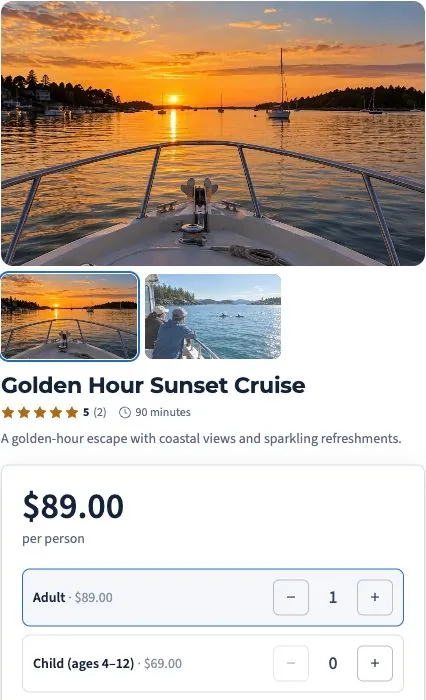
We’ll walk through the configuration, access and workflows that fit your business in your demo.
A walking tour, a rental fleet and an overnight stay need different booking rules. Start with the experience, then configure the tickets, units, resources and timing behind it.
Create tours, rentals, venue admission, overnight stays or retail items. Add the relevant pricing and operational details without forcing every product into a seating chart.
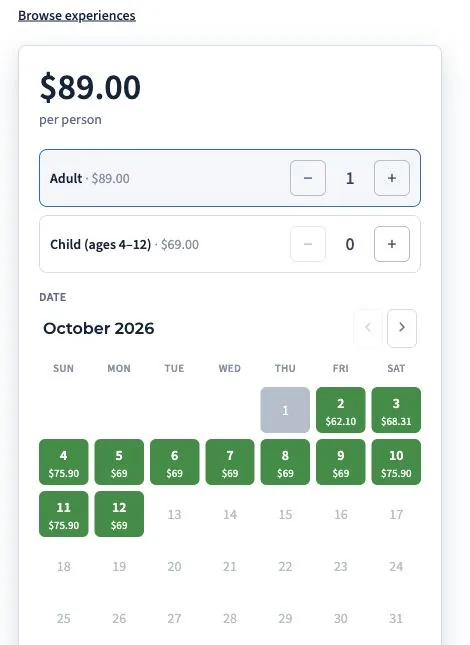
Use scheduled departures, rental units or accommodation resources as appropriate. Configure rental durations, including eligible next-day packages, and choose sidebar, inline or full-page widgets with saved website and tracking context.
Bring guest details, payments, add-ons and readiness information into the booking. Authorized staff can manage changes with an edit history rather than losing context across separate tools.
Offer a scheduled boat tour alongside a bike rental and an overnight stay, each with its own booking rules.
Tickets follow departures, rentals follow equipment and duration, and stays follow accommodation units and nights.
Guest details, extras and configured requirements stay with the reservation so the desk has a starting point for arrival.
Yes. Configure the offers relevant to the product so guests can add eligible extras during the booking process.
No. Ordinary ticketed tours can stay simple. Resources and seating are additional configuration for products that need them.
Create and save widgets with the website selected for each installation. Website-specific tracking and product choices help keep the source and setup clear.
Price the experience. Make room for the extras. Different dates, durations and demand call for different decisions. Configure those decisions before guests reach checkout.
Let’s walk through what EMBRK.AI could look like for your business.