
From the first question.
To the next adventure.
See how the concierge, inbox, reservations and the rest of EMBRK work together. Start with a moment your team knows well.
Walk through your operationA guest asks. Your team picks up the thread.
Website chat and AI voice can help a guest find an experience. When the conversation needs a person, the context belongs with the follow-up.
Answer from your own knowledge
Give each concierge its products, FAQs and instructions. Help guests check availability and reach hosted checkout for eligible bookings.
Explore AI conciergeMake the callback visible
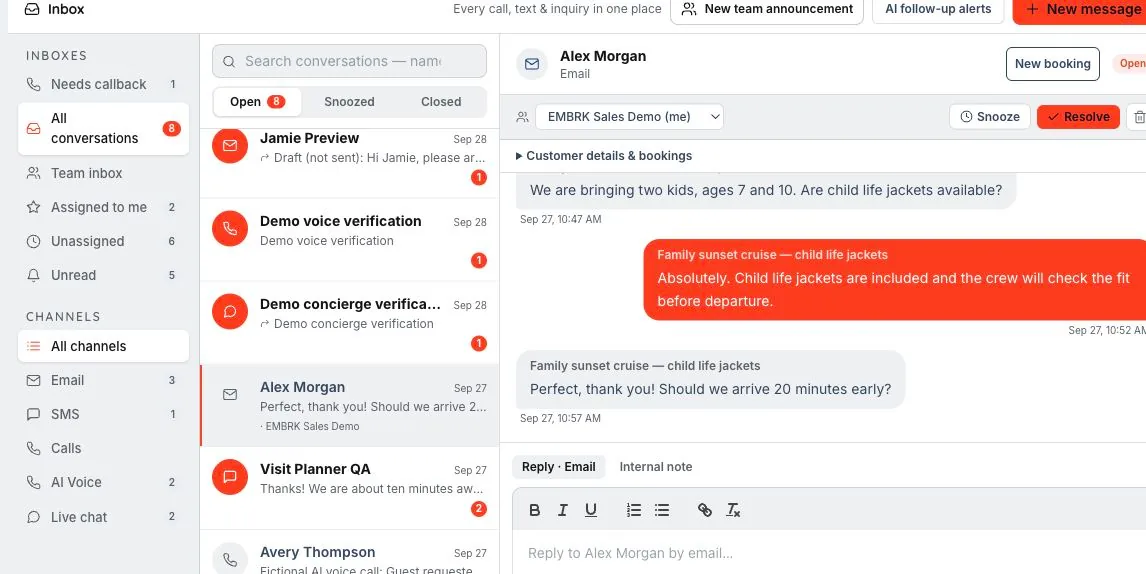
Find AI conversations and callback needs alongside email and SMS. Filter the inbox by channel or assignment to see what needs attention.
Explore Shared inboxFollow up with the guest in context
Open the guest’s profile and reservation history. Assign the conversation or mention a teammate so the next person has a clear starting point.
Explore Customers & CRM
The right reply. With the right person behind it.
An inbox is more useful when your team can see the booking, collaborate privately and get help preparing the next step.
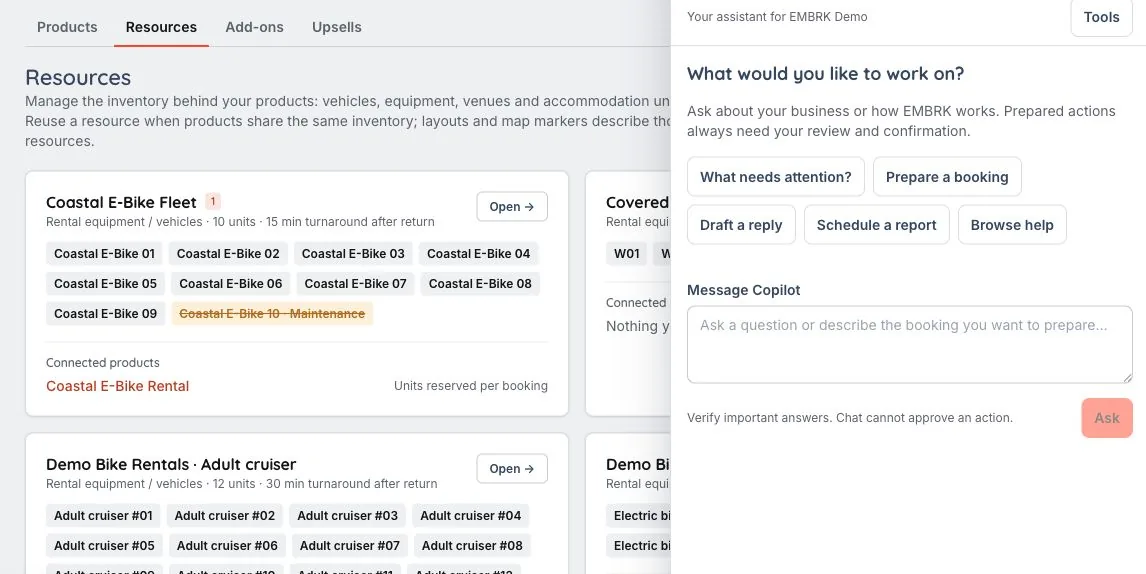
See what the guest is asking about
Work from a reservation or guest profile, with messages and booking context close together. Use assignments to make ownership clear.
Explore Shared inboxPrepare a response with backup
Use Staff Copilot for authorized business information and reply drafts. Review the details before taking action; preparing a draft does not send it.
Explore Staff CopilotKeep internal coordination internal
Use team mentions and announcements to bring colleagues into the work. Guest conversations and team coordination have distinct destinations.
Explore Shared inbox
Know where the booking started. Learn what worked.
Website visits and phone inquiries both matter. Keep measurement connected to the way your guests actually reach you.
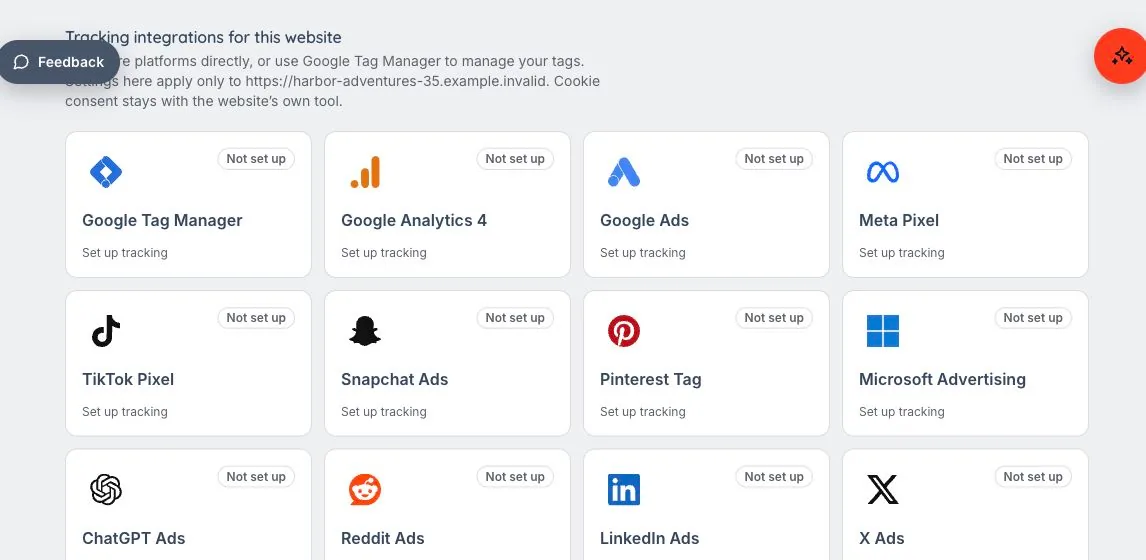
Connect the website and its widget
Configure analytics and advertising destinations per website. Use that website’s tracking settings with its booking widgets.
Explore Websites & conversion trackingInclude the phone conversation
Configured tracking numbers and website number swapping connect supported calls to their source. Follow eligible call-to-booking attribution.
Explore Call trackingRead the results behind the sale
Filter reports by period and channel, compare performance and follow supported metrics back to the underlying bookings.
Explore Reports & analytics
Booked is the beginning. Ready is the goal.
The reservation becomes a shared plan for the desk, the guide and the guest, with requirements visible before the experience starts.
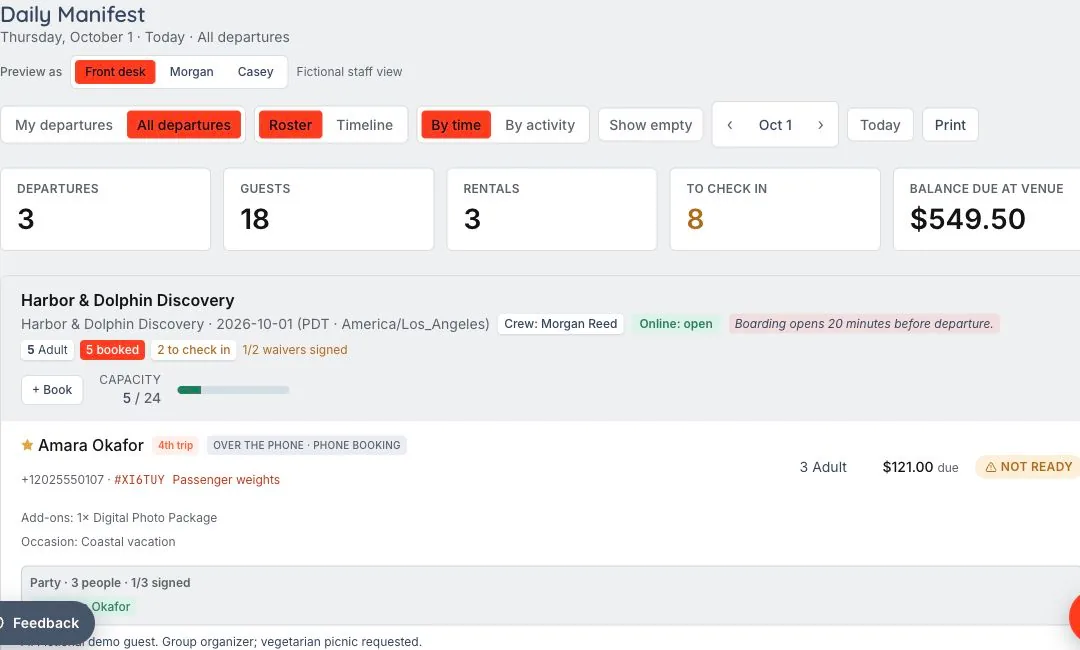
Keep paperwork with the booking
Collect guest signatures through configured waiver links. Check completion against the reservation before arrival.
Explore Digital waiversGive the team a view of the day
Use the manifest for departures, guide assignments, guest requirements and balances. Mobile check-in keeps the work close to the experience.
Explore Daily operationsFollow the resource through the rental
Connect the reservation to named equipment or vehicle units. Keep condition records, checkout and return readiness visible to staff.
Explore Fleet & GPS tracking
Price the experience. Make room for the extras.
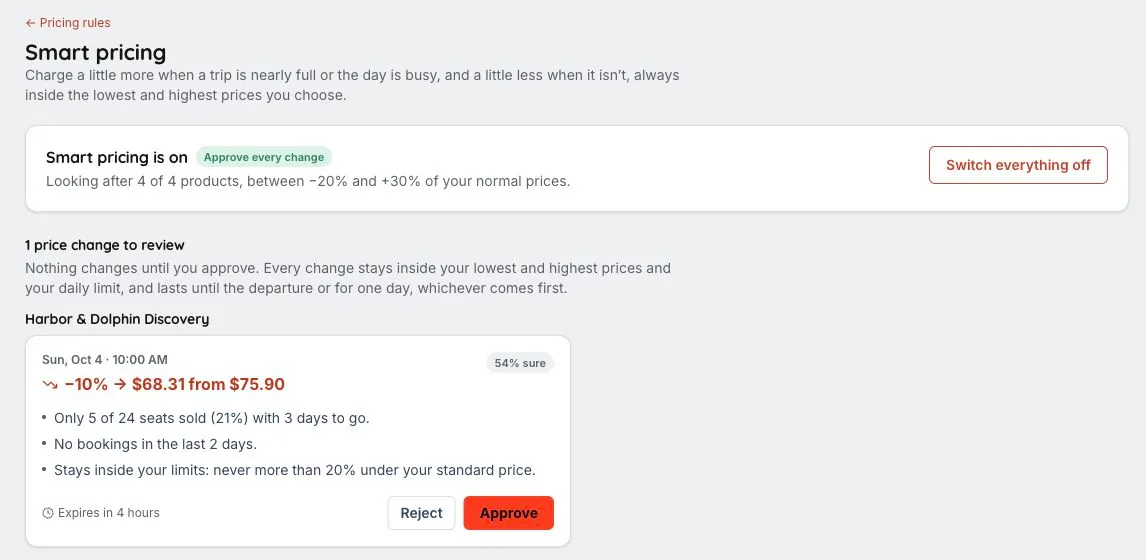
Different dates, durations and demand call for different decisions. Configure those decisions before guests reach checkout.
Set the rules and the limits
Use season, occupancy and lead-time conditions. The optional smart-pricing setup adds strategy previews and historical backtesting inside your guardrails.
Explore Smart pricingOffer what belongs with the outing
Attach relevant equipment, merchandise or photo packages. Configure eligible post-purchase offers for guests who want to add more.
Explore Add-ons & upsellsKeep the payment with the reservation
Use configured deposits, balance links and eligible checkout options. Track refunds and credits in the payment workflow.
Explore Payments & register
The outing ends. The relationship keeps going.
A helpful follow-up, a photo worth keeping and a relevant invitation give guests more reasons to remember the experience.
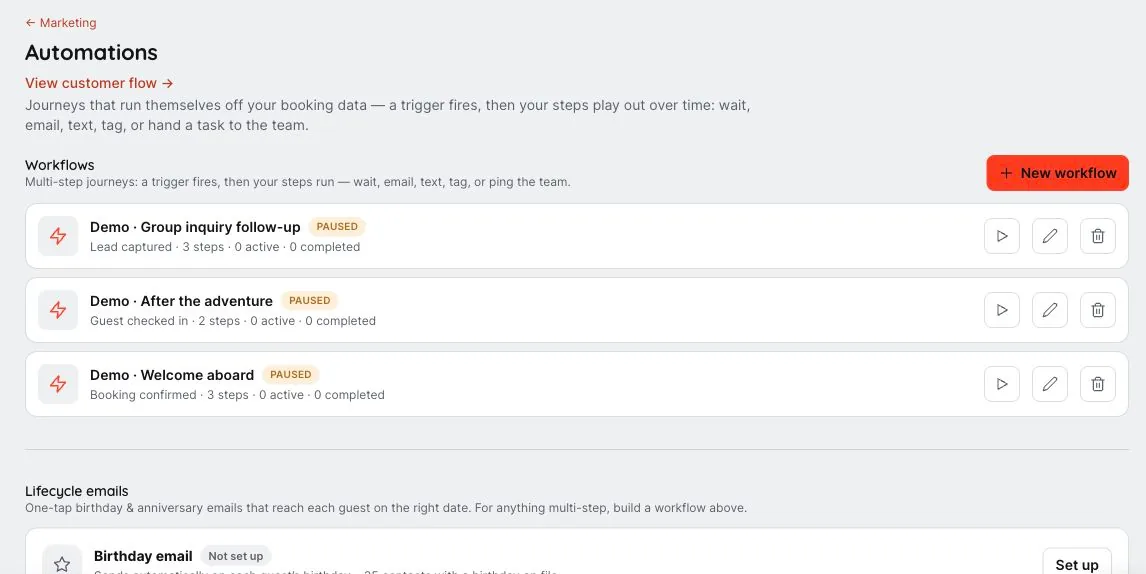
Make follow-through repeatable
Build guest-message workflows with triggers and timing. Review and activate them for the moments that matter to your business.
Explore Marketing automationsGive the memories a way home
The optional Trip Photos add-on supports albums, watermarked previews and configured access. Guests can unlock their photos and download the memories.
Explore Trip photosInvite them back thoughtfully
Build campaigns from your guest records and audiences. Review delivery results, collect guest feedback and use supported review widgets on your website.
Explore Email & SMS marketing
Let’s show you your version.
These are connected workflows, illustrated with sample data. Your product types, staff access and enabled tools determine the details.
Choose what matters to your team.
We’ll tailor the demo around your guest questions, booking process and day-to-day work. Connected providers, optional add-ons and supported hardware need the relevant setup.
Browse every featureYour next chapter.
A lot less busywork.
Let’s walk through what EMBRK.AI could look like for your business.