
Configure the documents for the experience
Maintain waiver templates and connect the relevant requirements to products or resources. Different experiences can require different documents.
Collect signed waivers before arrival and keep completion visible alongside the reservation.
See Digital waivers in action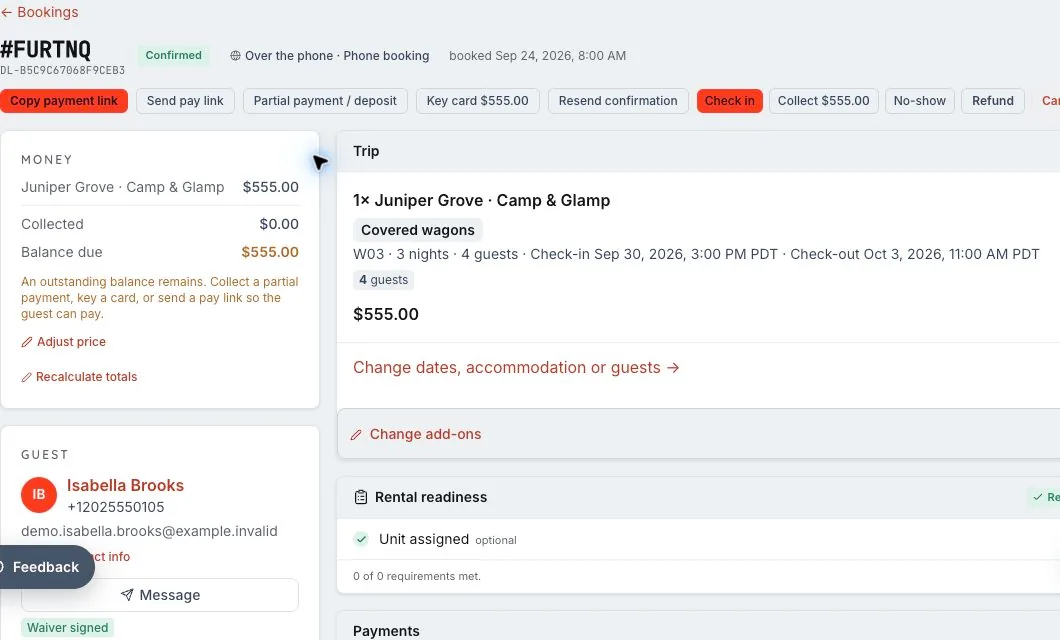
We’ll walk through the configuration, access and workflows that fit your business in your demo.
Connect waiver collection to the booking so staff can see readiness before guests arrive, and guests can complete the relevant documents ahead of the experience.
Maintain waiver templates and connect the relevant requirements to products or resources. Different experiences can require different documents.
Share the waiver flow with guests and collect the configured participant details and signatures. Required information follows the waiver setup rather than a universal assumption about every activity.
Review signed waivers from the reservation and use completion status to help the team prepare for check-in. Keep the signed record connected to the guest and experience.
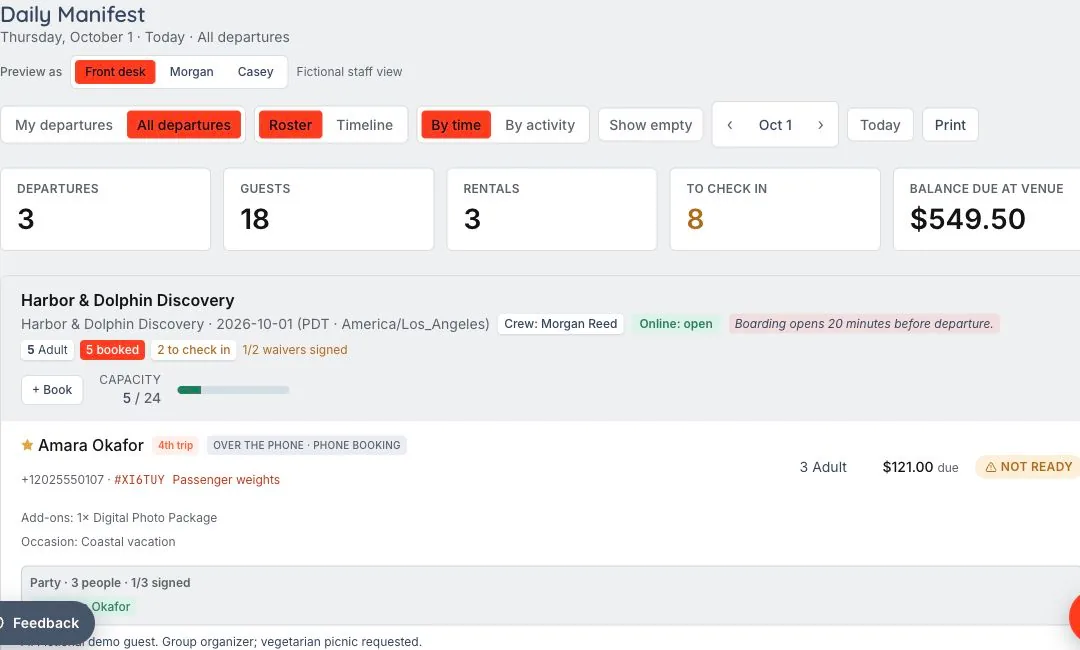
Your team needs to know which participants have completed the configured paperwork.
Tie the relevant templates and requirements to the product or resource, then share the guest signing flow.
Review guest-level completion alongside the booking and manifest. A signature and another requirement, such as a license, are distinct checks.
Configure the waiver fields and participant requirements for your activity. A signature and a driver’s license are separate requirements, so your team should choose the information it needs for each experience.
Yes. Waiver configuration supports requirements tied to the experience, including product and resource relationships.
Booking-linked signed records remain connected to the reservation and guest. Standalone incoming waivers can be reviewed and attached through the waiver workspace.
Booked is the beginning. Ready is the goal. The reservation becomes a shared plan for the desk, the guide and the guest, with requirements visible before the experience starts.
Let’s walk through what EMBRK.AI could look like for your business.