Start with a useful guest record
Bring profiles, bookings, messages and relevant guest information together. Import eligible contacts rather than rebuilding the audience by hand.
Keep guest profiles, reservation history and conversations together. Use tags, segments and follow-up tools to build a relationship that lasts beyond one visit.
See Customers & CRM in action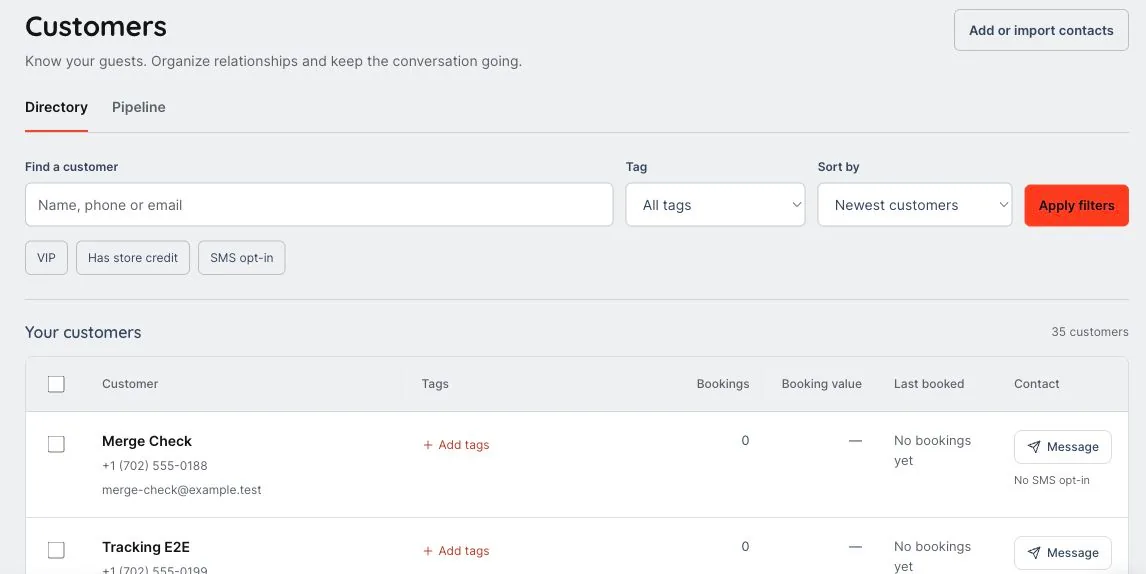
We’ll walk through the configuration, access and workflows that fit your business in your demo.
A guest may arrive through an inquiry, return for another outing and join a campaign later. Keep that context in one place.
Bring profiles, bookings, messages and relevant guest information together. Import eligible contacts rather than rebuilding the audience by hand.
Use tags, segments and inquiry pipelines to identify the guests and groups that need attention. Authorized staff can work from the shared record.
Build audiences for campaigns and automations, or follow up on abandoned booking journeys with supported recovery tools. Delivery remains subject to channel setup and eligibility.
A returning guest contacts the team about another outing.
Review available reservations, conversations and profile information together. Tags and configured fields help preserve useful context.
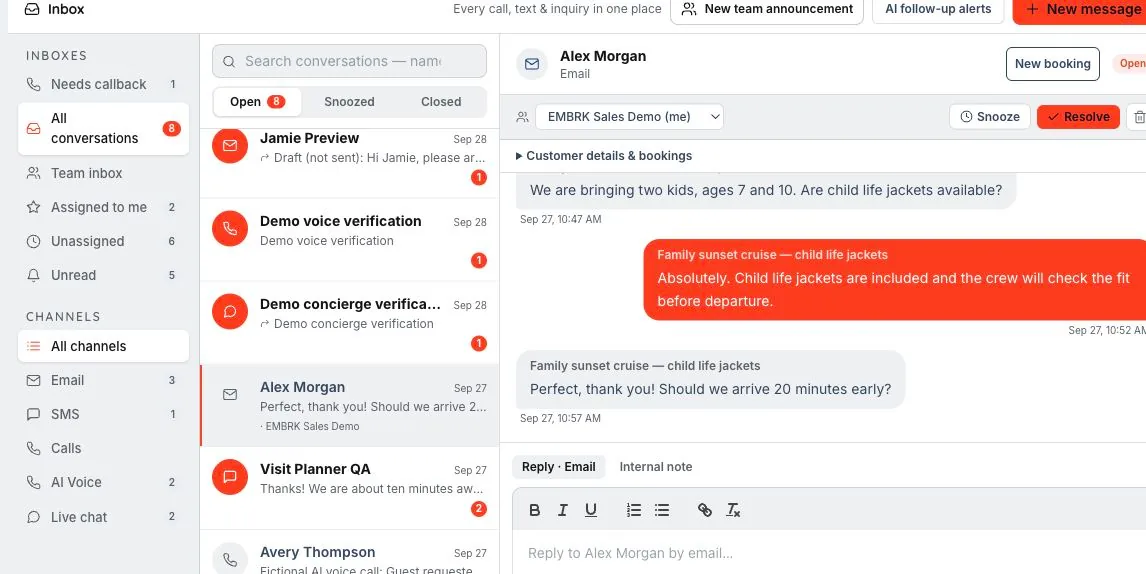
Bring the request into the shared inbox or build an eligible audience for a relevant campaign. Contact imports support the records you want to bring along.
Yes. Supported segments can use booking-related activity alongside tags and other configured contact criteria.
No. Audience preparation and delivery are separate actions. Campaign setup, review and delivery eligibility still apply.
Supported contact import tools help bring records into the customer workspace. Review the field mapping and data quality, and retain the appropriate messaging permissions for those contacts.
A guest asks. Your team picks up the thread. Website chat and AI voice can help a guest find an experience. When the conversation needs a person, the context belongs with the follow-up.
Let’s walk through what EMBRK.AI could look like for your business.